Parking wayfinding — guiding drivers from their current location to an available parking space at their destination — involves multiple technology layers: navigation apps that route drivers to the facility, real-time availability data that confirms spaces are open when the driver arrives, and in-facility guidance (physical signs or indoor navigation) that completes the journey to an individual space. Integrating parking facilities with navigation apps and wayfinding platforms at each layer improves the driver experience, reduces circling, and can increase facility utilization by making the facility more discoverable to drivers who might otherwise pass by.
The Parking Wayfinding Journey
The complete parking wayfinding journey has three phases:
Pre-trip: The driver plans the trip and looks for parking options at the destination. Navigation app searches for “parking near [destination]” return nearby facility options with addresses, hours, and possibly real-time availability. The driver selects a facility and the app routes them toward it.
En route: The navigation app provides turn-by-turn directions to the facility entry point. This requires that the facility’s entry point location data (as distinct from the main address, which may be on a different face of the building) is accurately recorded in navigation databases.
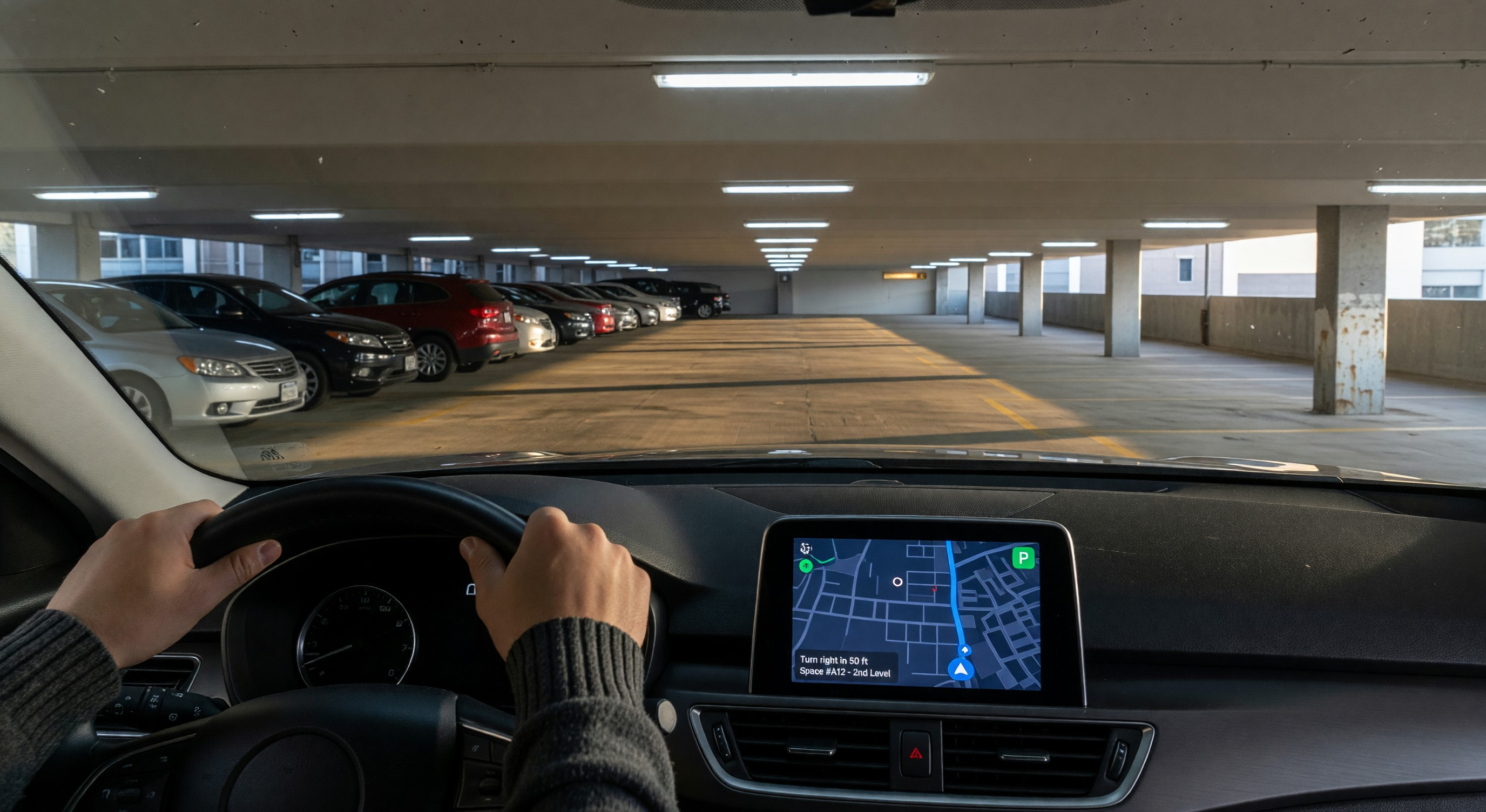
In-facility: Once inside the facility, the driver needs to find an available space. Physical overhead guidance (occupancy count signs, directional signs, per-space LED indicators) is the primary in-facility guidance medium. Smartphone indoor navigation apps can supplement physical guidance in very large or complex facilities.
Navigation App Integration
Google Maps: Google Maps is the dominant navigation platform in most North American markets. Google’s local places database includes parking facility records with address, hours, phone number, and photos. Operators should claim and verify their facility’s Google Business Profile to ensure accurate information.
For real-time availability, Google Maps displays parking availability indicators based on data received from facility operators and aggregators. Facilities that provide real-time occupancy data to Google (through Google’s Places data program or approved data aggregators) can appear with “usually busy,” “typically available,” and actual real-time count indicators. This requires a data sharing integration.
Apple Maps: Apple Maps similarly maintains a places database and has a parking category with facility information. Apple Business Connect (formerly Apple Maps Connect) allows operators to claim and update their facility information. Apple Maps real-time parking data integration has been more limited than Google’s.
HERE Technologies and TomTom: These mapping data providers supply data to automotive navigation systems in many vehicle brands. Accurate facility records in HERE and TomTom databases ensure that drivers using embedded automotive navigation see the facility. Both companies have parking-specific data programs for operators who want to provide real-time data.
Waze: Waze (owned by Google) has a large user base of engaged drivers. Waze has partnered with cities and operators to display parking availability through its Waze Cities program. Facilities in cities with Waze city partnerships may receive availability display without direct integration.
Accurate Entry Point Location Data
A common barrier to navigation app wayfinding is inaccurate facility entry point data — when the main address maps to the middle of a building, the front entrance, or a side street, but the actual vehicle entry point is on a different street or around the corner. Drivers following navigation to a facility’s address arrive at the building face rather than the entry lane, requiring manual searching.
Correcting entry point data: Google Business Profile and Apple Business Connect allow operators to specify precise entry point locations (as a separate field from the main address). Updating this data to reflect the actual vehicle entry gate position significantly improves the end-of-navigation experience.
Parking entrances in OpenStreetMap: OpenStreetMap (OSM) is an open geographic database used by many navigation systems (including some embedded automotive navigation and emergency service mapping). OSM supports parking facility records with precise entry point locations. Operators can contribute accurate entry and exit point locations to OSM directly; this data flows into navigation systems that use OSM.
Indoor Parking Navigation
Physical guidance as primary: For the vast majority of parking facilities, physical overhead guidance (occupancy count signs, directional arrows, per-space LED indicators) provides adequate in-facility guidance without smartphone indoor navigation requirements. The economics of indoor navigation technology rarely justify the investment for facilities with adequate physical signage.
Indoor navigation technology: In very large or complex facilities (multi-terminal airports, large shopping center parking, hospital campuses with multiple interconnected structures), smartphone indoor navigation may be justified:
BLE beacons: Battery-powered Bluetooth Low Energy beacons mounted throughout the facility broadcast their location to nearby smartphones. Navigation apps use beacon signal strength triangulation to estimate the driver’s position within the facility. BLE indoor positioning typically achieves 3 to 5 meter accuracy — adequate for zone-level direction.
WiFi positioning: Similar to BLE, WiFi access point signal triangulation provides indoor position estimation. Requires denser WiFi infrastructure than typical parking WiFi networks.
Visual-inertial odometry (VIO): Smartphone sensors (camera + accelerometer + gyroscope) combined with computer vision can estimate position within a mapped structure without infrastructure beacons. Platforms like HERE Indoor Maps and Apple’s indoor positioning use VIO in venues with sufficient mapping data.
App integration for indoor navigation: Indoor navigation in parking facilities requires a smartphone app (the facility’s app, a mall app, or an airport app) that has indoor map data for the specific facility. The app guides the driver from the parking entry to the elevator bank, then (in pedestrian mode) through the building to the specific retail destination or gate.
Parking Data Standards for Discovery
Google’s Parking Data Format: Google accepts parking facility data in structured formats through its Places data programs. Static data (location, hours, capacity, rates) and real-time data (current availability) have different data format requirements and integration pathways.
APDS Static Data: The Alliance for Parking Data Standards (APDS) has developed standard data models for parking facility static data. APDS adoption is growing among municipal parking programs; private operators who provide data in APDS format may be compatible with city-operated parking aggregation platforms.
Schema.org ParkingFacility: The Schema.org markup vocabulary includes a ParkingFacility type that allows operators to embed structured parking data in their website HTML. Google reads Schema.org markup and may use it to populate Google Maps facility records. Implementing ParkingFacility schema on the facility or operator website helps ensure accurate information in search and maps.
Frequently Asked Questions
Why do some parking facilities not appear in Google Maps even though they exist? Facilities that have not claimed and verified their Google Business Profile, that have no website with location information, or that are not recorded in any of the data sources Google uses may have incomplete or missing Google Maps listings. Claiming and completing a Google Business Profile is the first step to ensuring the facility appears correctly in search and maps.
How does a parking facility get real-time availability displayed in Google Maps? Real-time availability in Google Maps requires providing occupancy data to Google through its data programs or approved data aggregators. Google’s acceptance of direct real-time data from parking operators has varied; current pathways should be confirmed directly with Google’s data partnerships team or through a parking data aggregator that has an established Google data relationship.
What is the difference between a Google Business Profile and a Google Maps listing? Google Business Profile (formerly Google My Business) is the interface through which businesses claim and manage their presence in Google Search and Google Maps. A Google Maps listing can exist without a verified Business Profile, but unverified listings may contain inaccurate third-party data. Claiming and verifying the Business Profile gives the operator control over the information displayed.
Can parking wayfinding apps work without a smartphone app? Standard navigation apps (Google Maps, Apple Maps) provide parking facility discovery and driving directions without requiring a facility-specific app download. Indoor navigation within a facility typically requires a facility or venue app with indoor map data. For most parking facilities, standard navigation app integration (accurate location data, real-time availability if available) provides sufficient wayfinding capability without a dedicated app.
Takeaway
Parking wayfinding app integration — ensuring that facilities are accurately represented in navigation platforms, that real-time availability data is published where drivers can see it, and that entry point locations are precise enough to guide drivers directly to the gate — converts more intent-to-park customers into actual parkers. The foundational steps (accurate Google Business Profile, correct entry point location data, Schema.org markup on the facility website) are accessible to any facility operator at minimal cost. Real-time availability integration and indoor navigation represent higher investment steps that are appropriate for facilities with demonstrated demand, navigation-dependent customer behavior, and the data infrastructure to support continuous availability publishing.
Further Reading from Authoritative Sources
- IPMI parking technology and mobility data integration standards — The International Parking and Mobility Institute publishes technology guidance for parking operators including data standards and mobility platform integration that is directly relevant to the wayfinding topics covered in the article.
- Transportation Research Board parking wayfinding and traveler information research — The Transportation Research Board publishes research on parking wayfinding and traveler information systems that provides the evidence base for the technology effectiveness claims and integration approaches described in the article.